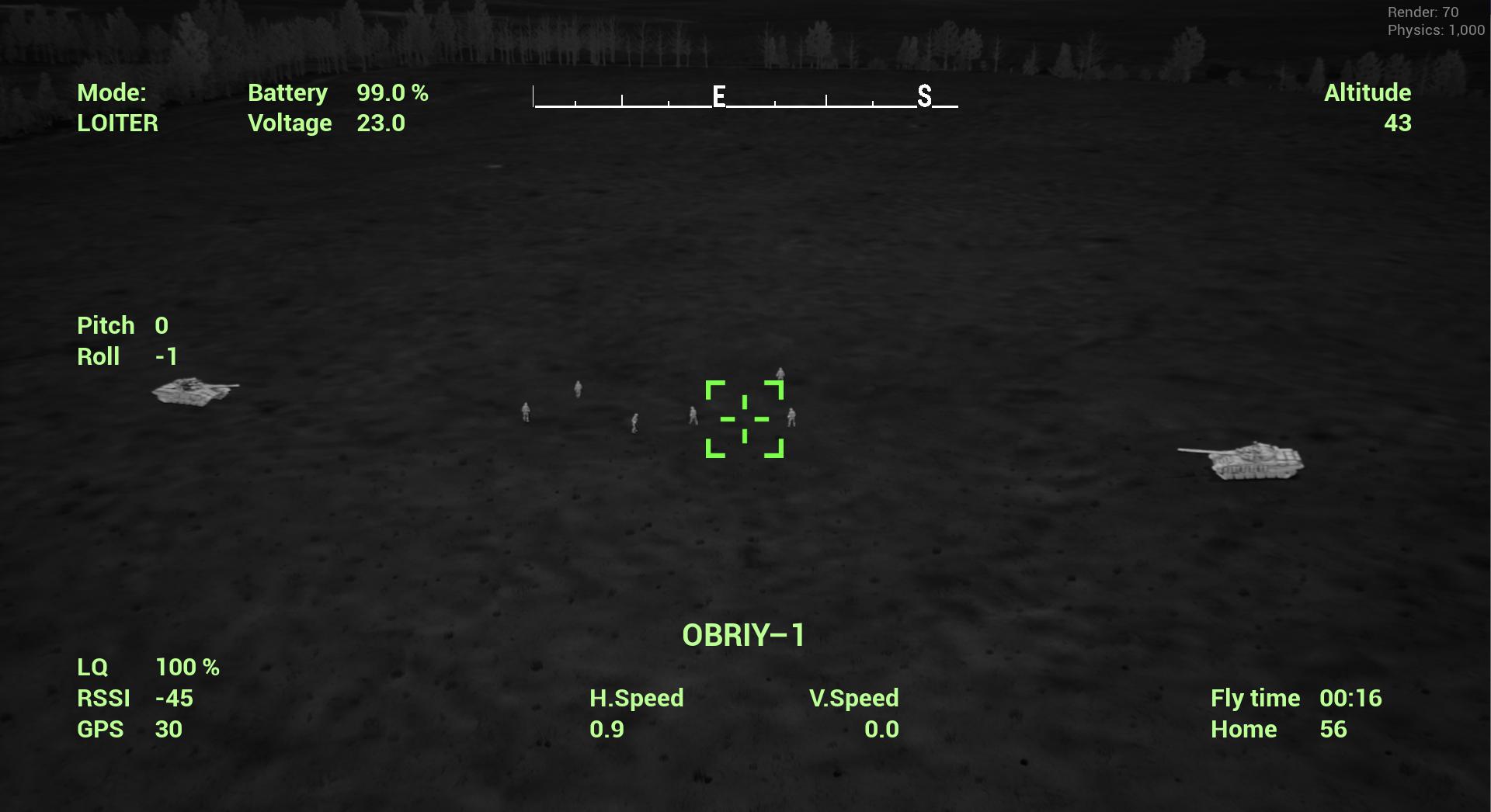
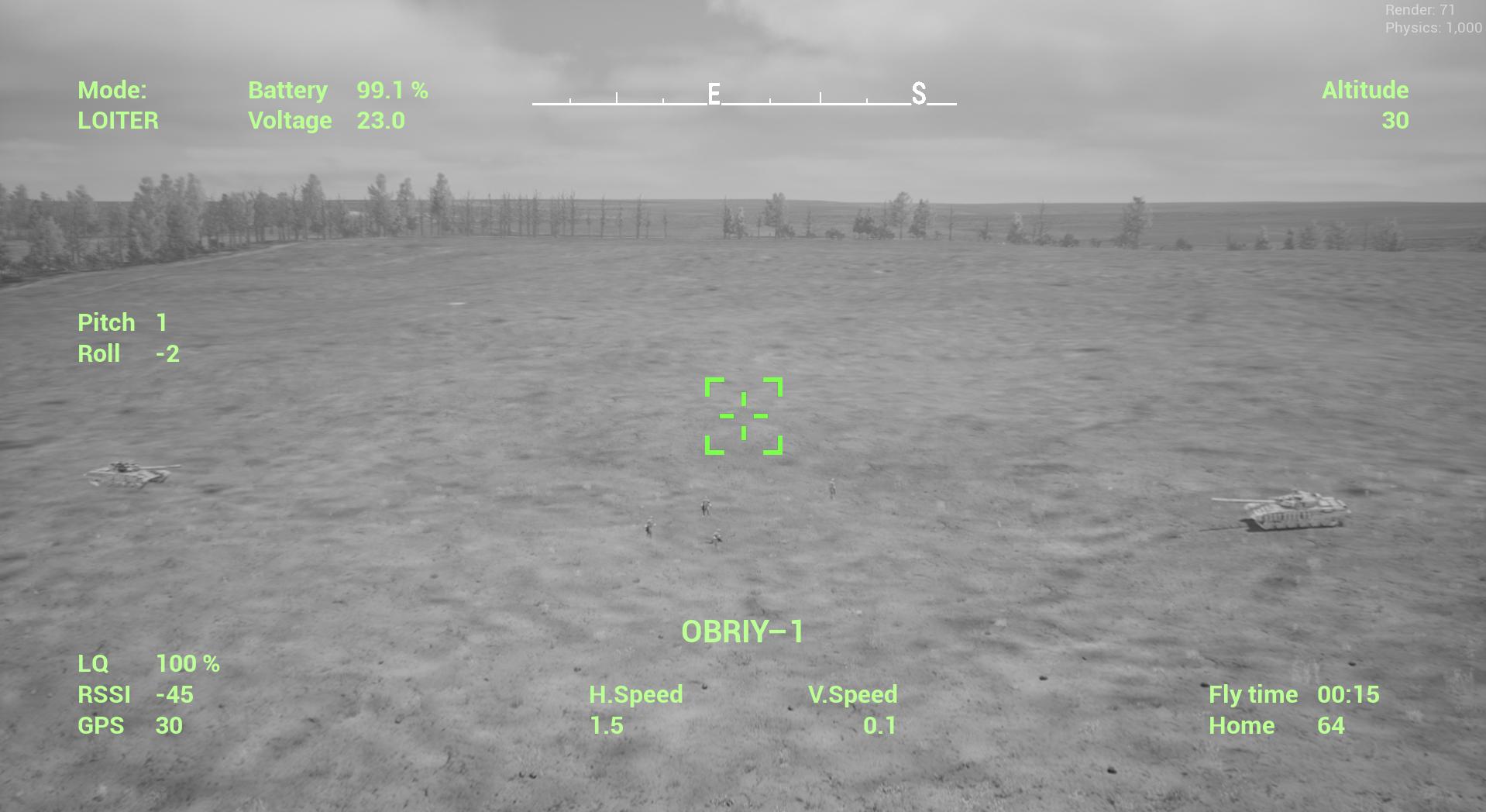
Stabilized Camera Drone
Recon Drone Flight Mode#
To fly in this mode, you need to select a drone with a stabilized camera.
Controller Setup#
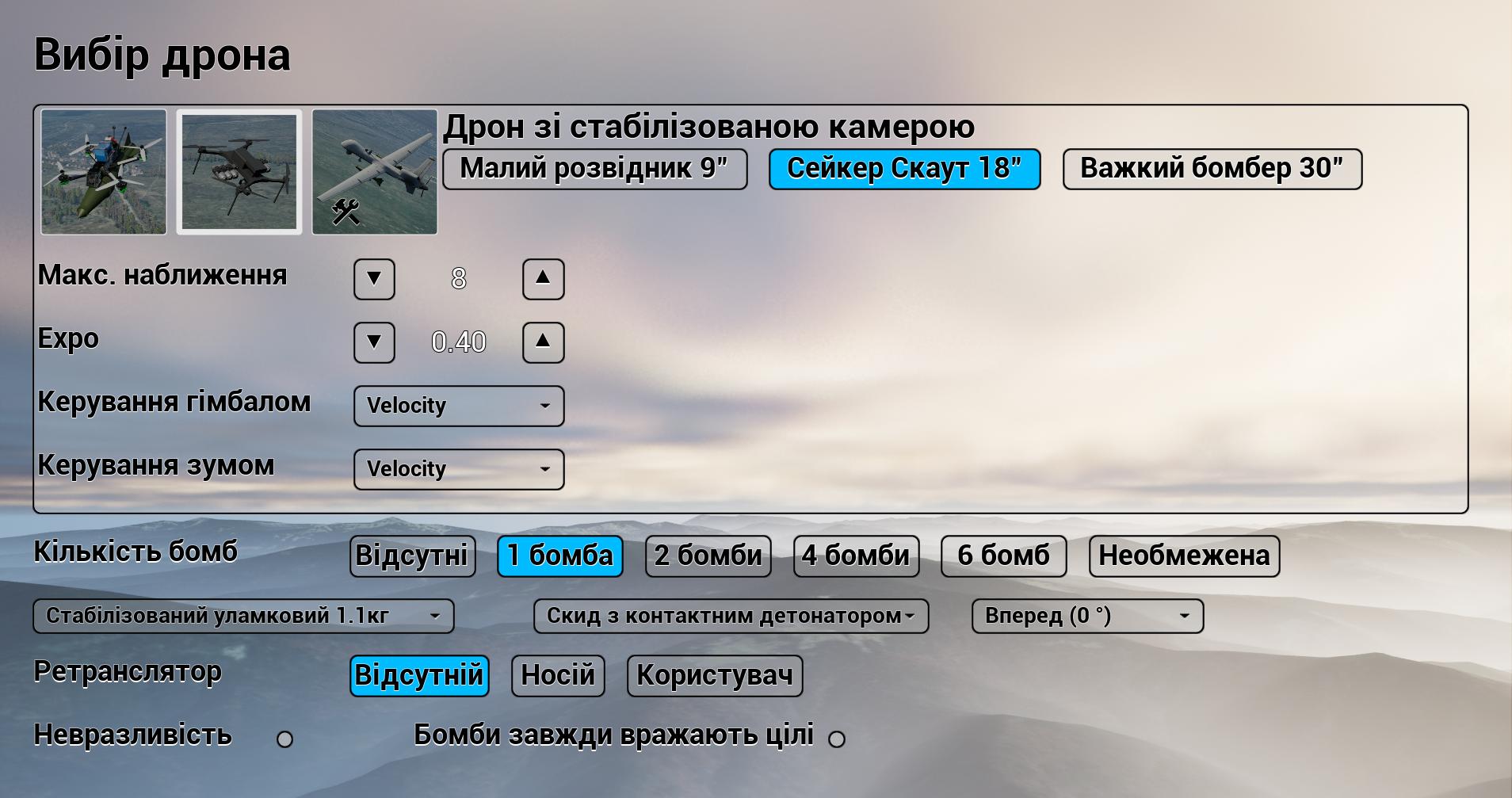
You also need to configure additional channels in the controller model.
For Radiomaster, set Camera Pitch and Camera Zoom to switches S1 and S2 since only these allow smooth adjustments, which is crucial for working with a mount and smooth zoom.
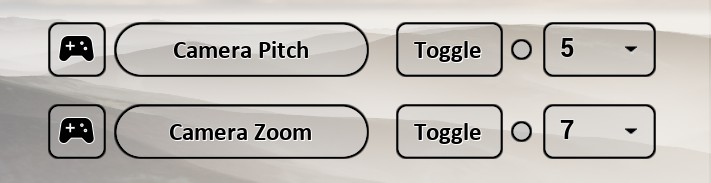
As with FPV drones, select a mission or free flight. In the bottom left corner, you should see a message displaying the selected drone and its configuration. In the briefing menu, set the necessary markers, adjust battery capacity and antenna height if needed, and press Start.
Recon Drone OSD#
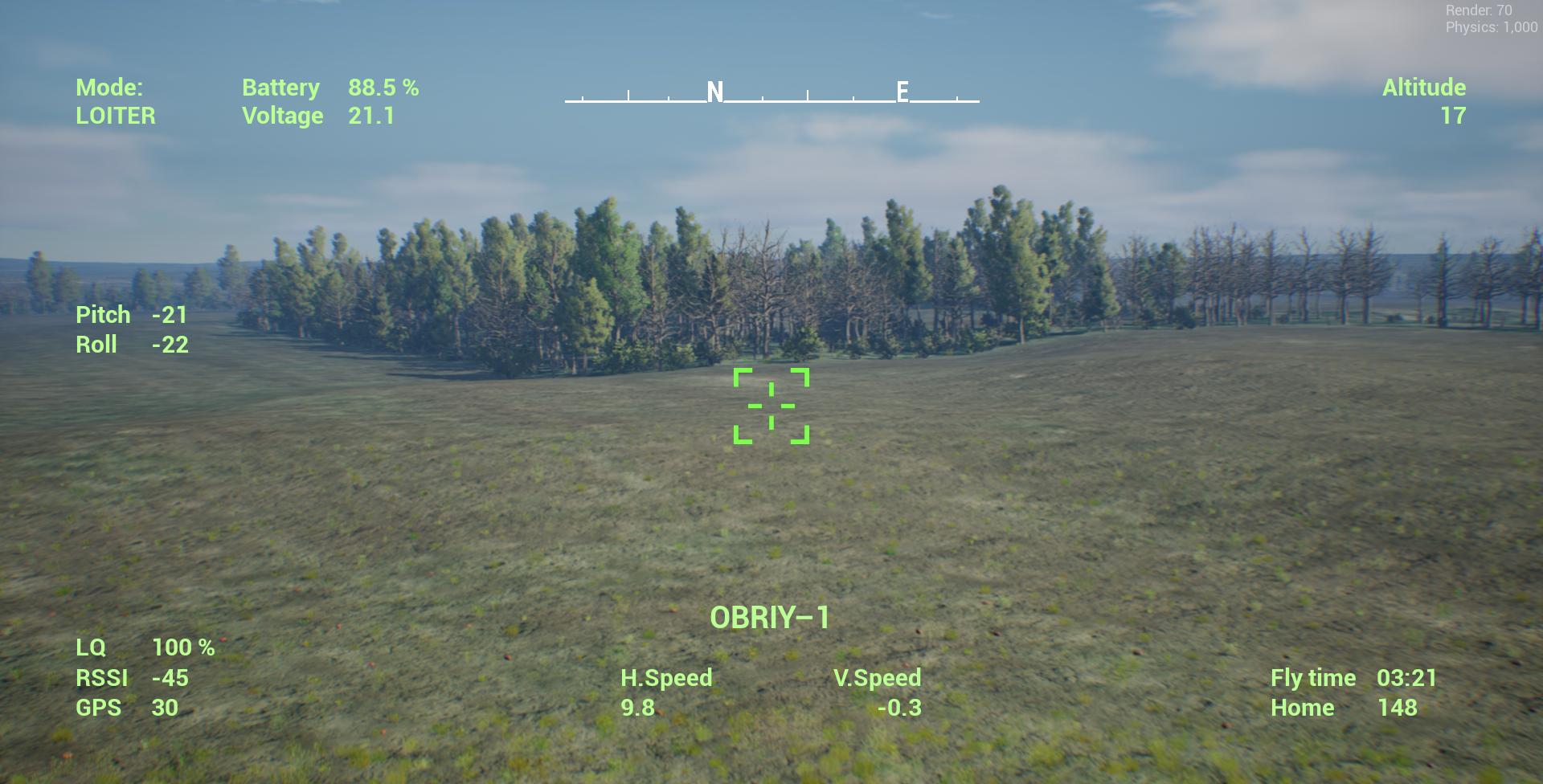
- Mode - Flight mode: Altitude/Stabilize.
- Battery - Battery charge level, %.
- Voltage - Battery voltage, V.
- Compass.
- Altitude - Current flight altitude, m.
- LQ - Link quality, %.
- RSSI - Signal strength from the antenna.
- H.Speed - Drone's horizontal speed, m/s.
- V.Speed - Drone's vertical speed, m/s.
- SIMULATOR-1 - Flight attempt number.
- Fly time - Flight duration.
- Home - Distance to the takeoff point, m.
Arming the Motors (Arm).#
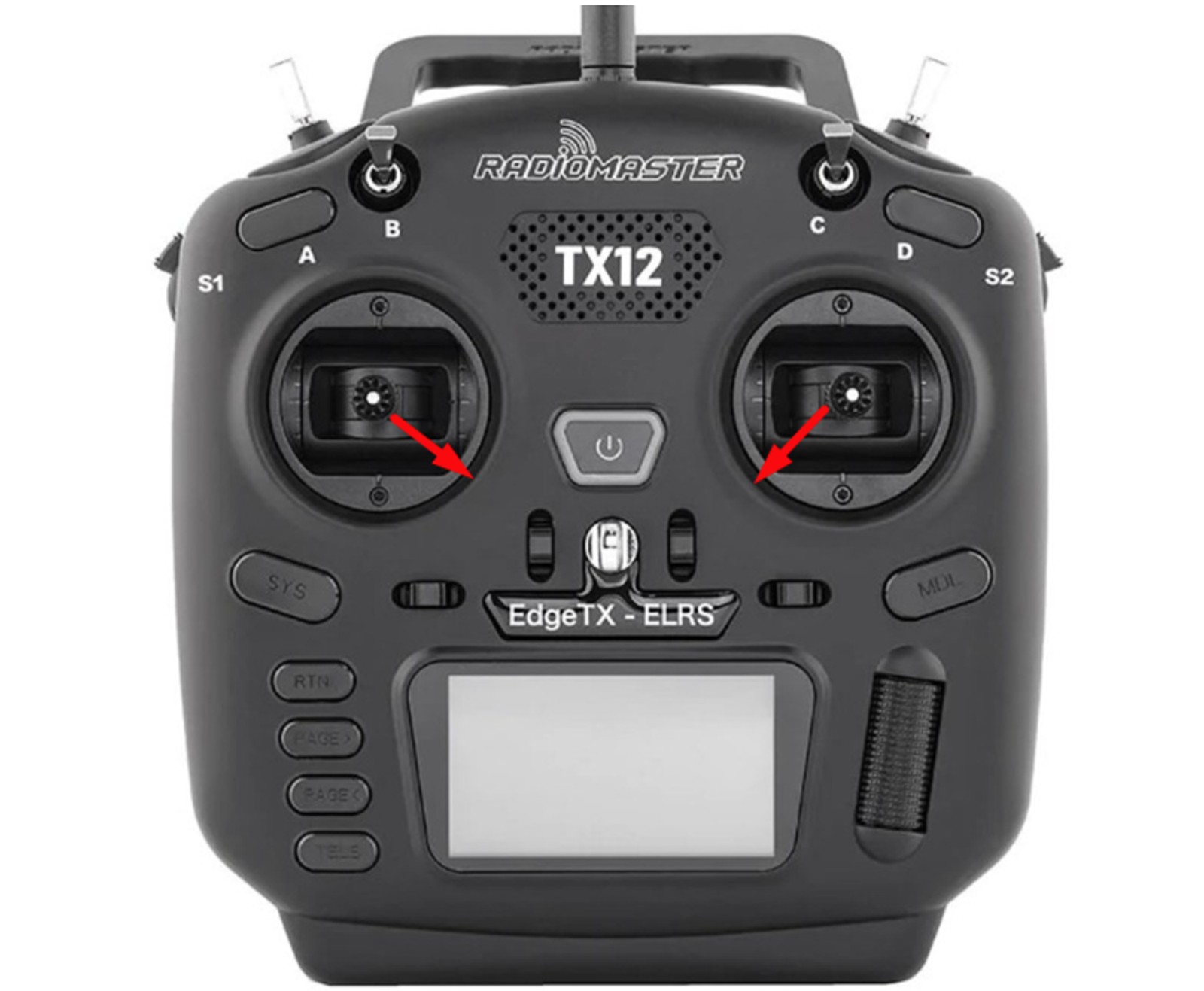
Unlike FPV drones, the recon drone starts its motors similarly to the Mavic, requiring the sticks to be pulled diagonally inward and downward.
Then, apply throttle, gain altitude, fly, and use the gimbal and camera zoom for reconnaissance.
Bomb Drops on Vehicles and Infantry#
Unlike an attack FPV drone, this mode allows you to tilt the camera directly downward and track the bomb’s trajectory toward the target. With configured drop channels, multiple bombs can be mounted simultaneously.
Artillery Adjustment Mode#
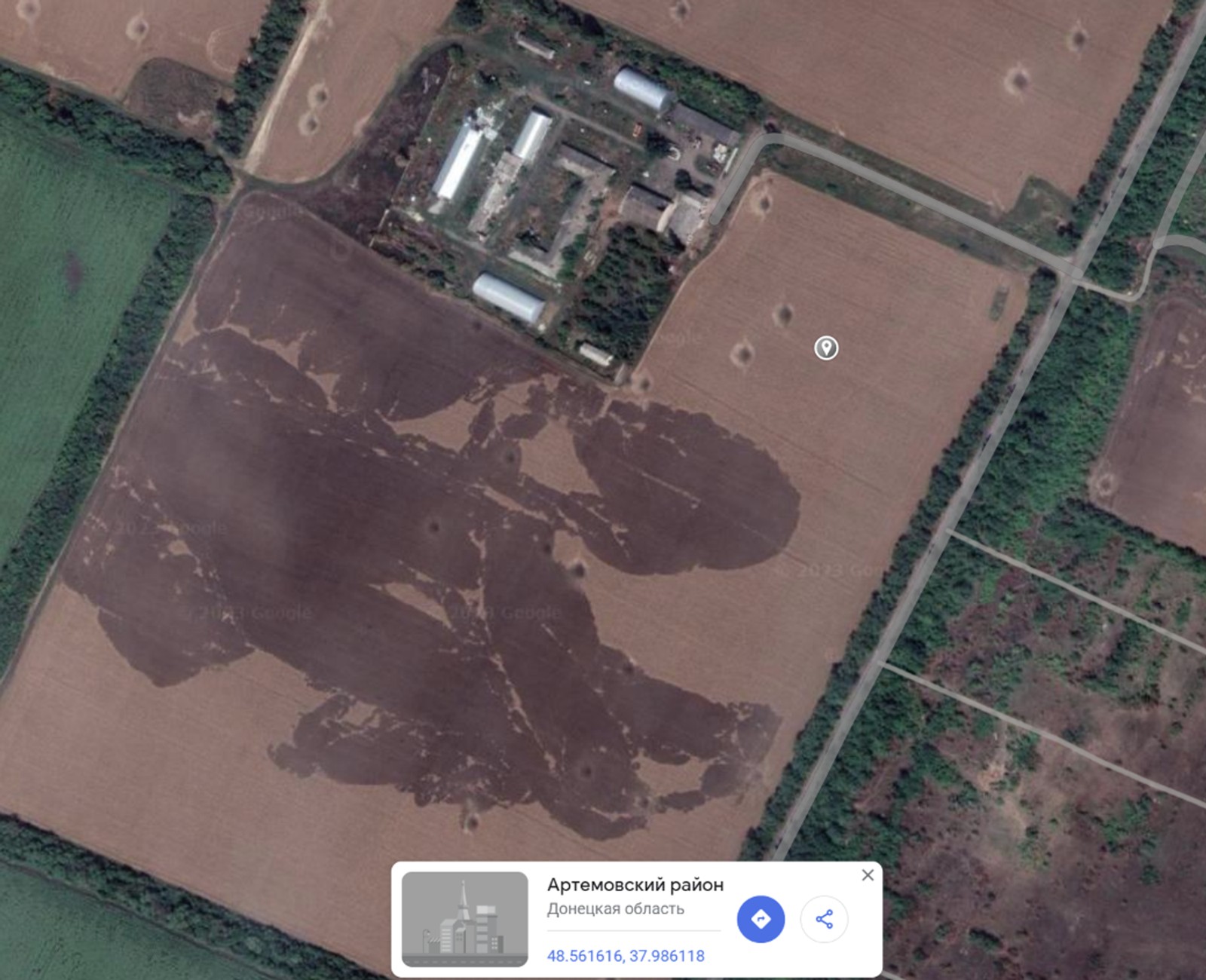
Ascend with the drone and locate the target. Then, using Kropyva or another mapping service, pin the target on the map and obtain its coordinates in decimal WGS84 format. In this case, the coordinates are 48.561616, 37.986118.
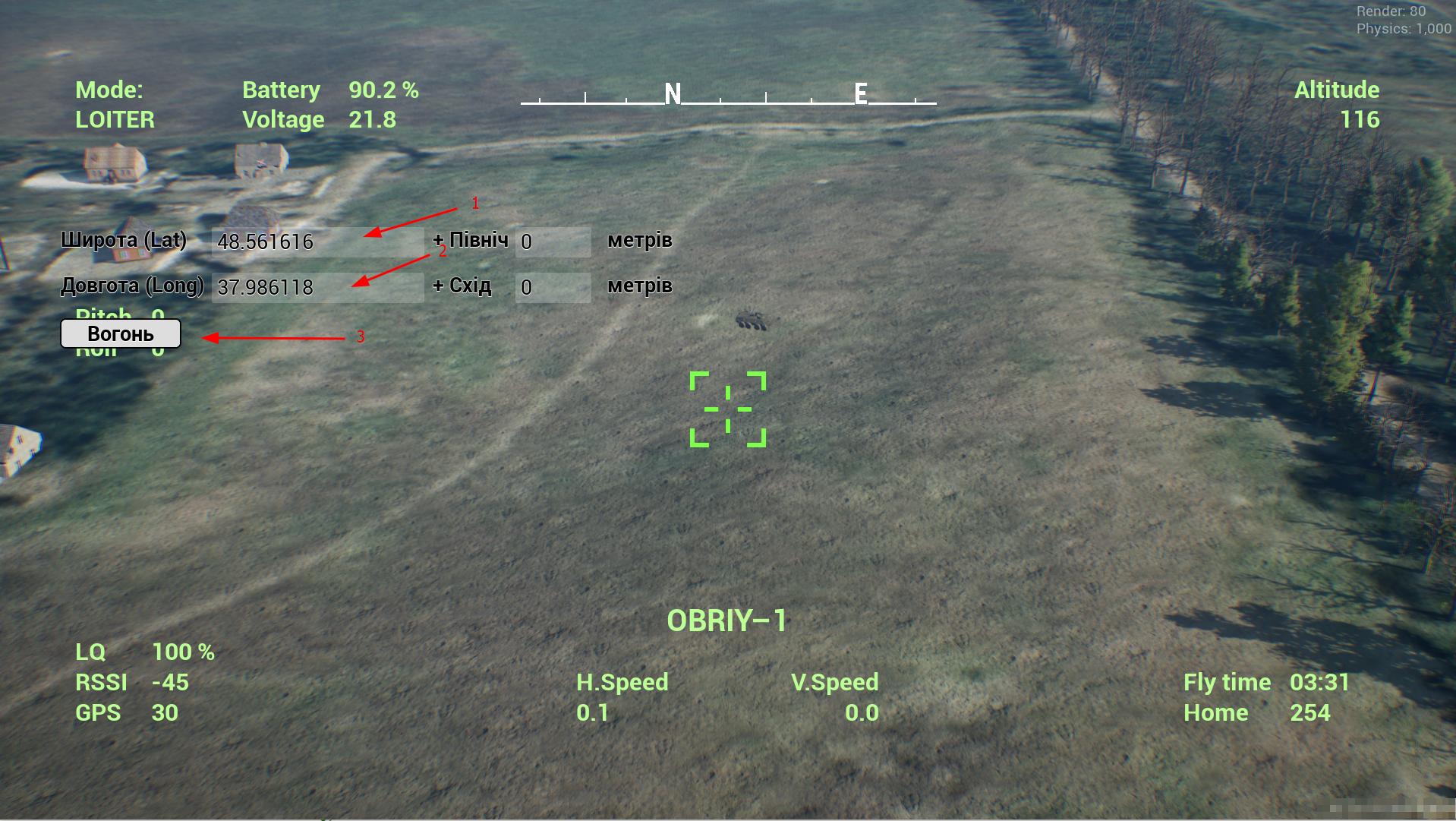
Press Q to open the artillery adjustment panel. Enter the latitude and longitude, then press "Fire." The simulator will drop a shell at the designated location.
Observe the impact location. Adjust the coordinates or enter a distance offset in meters to correct the strike. If shifting south or west, enter negative values.
Thermal Camera Flight Mode#
This mode is available for both FPV and gimbal drones.
If the real drone you are training for has a thermal camera, go to the Graphics Menu and enable Thermal Camera.
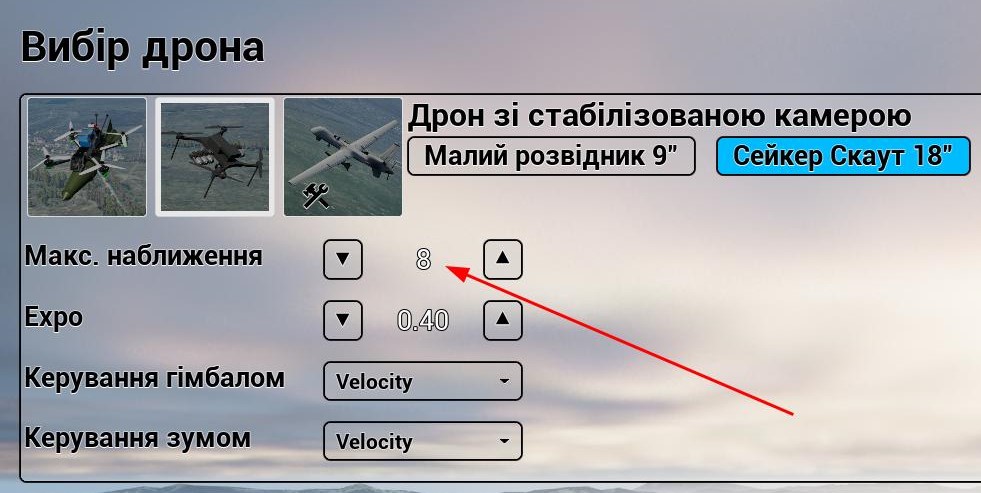
Next, go to the drone settings and adjust the maximum camera zoom according to your camera model.
It’s also important to note that if a daytime mission is selected, the thermal vision mode will be too bright, making it difficult to identify targets. At night, however, targets will stand out clearly against the landscape.